Learning "Ruby on Rails" was the most satisfying and challenging step in my journey as a programmer. At first, it was relatively difficult to adapt to the MVC pattern, using the ORM tool to interact with databases, the migration system, and HTTP requests. Before I even started using the framework, I didn't know what MVC (Model, View, and Controller) was, let alone how to interact with databases. The difficulty was understandable, as I was a beginner. However, as I progressed, it became easier to deal with the framework.
It was extremely satisfying when I managed to solve an error or bug. Developing a simple feature and seeing things happen as planned was a great achievement. Each small success motivated me to continue and dive even deeper into "Ruby on Rails". Moreover, "Ruby on Rails" allows me to develop several applications in a standardized and very fast way. The framework's structure makes it easier to maintain and scale projects.
In addition to personal satisfaction, I also realized that "Ruby on Rails" provided me with a standardized methodology to develop applications quickly and efficiently. The framework follows the principle of "convention over configuration," which means that many design decisions are already made, allowing me to focus more on business logic and less on infrastructure, speeding up development and making code maintenance easier.
What is Ruby on Rails
Ruby on Rails, often shortened to Rails, is a web development framework written in Ruby. It was designed to make the process of developing web applications faster and easier, offering a standard structure for application development.
In short, Ruby on Rails is a tool for developing web applications, especially those that need to be developed quickly and efficiently.
First project with Rails
The following project is a blog developed following the Ruby on Rails Guides tutorial, specifically Getting Started with Rails. The guide develops a blog with post and comment creation. This tutorial is great for anyone who wants to learn Rails, as it shows how to use the framework's architecture and apply field validations, alert displays, route configuration, associations, use of helpers for forms such as: text_field, text_area, number_field, and also code refactoring.
Blog home screen
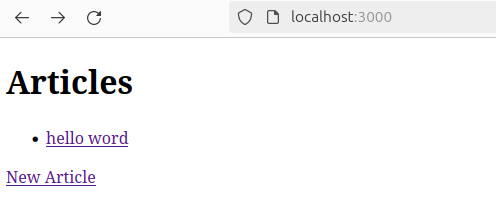
This is the main screen of the blog, where all public posts stored in the database are displayed.
How does it work?
All posts are fetched within the 'Articles' controller, in the index function, and then displayed in the index view. In more detail, 'Article.all' fetches all articles present in the database and then stores them in the instance variable @articles, which is then used to print all posts in the 'index.html.erb' view. Check the code below.
Articles controller
def index
  @articles = Article.all
end
View 'index.html.erb'
<% @articles.each do |article| %>
  <%= link_to article.title, article %>
<% end %>

<%= link_to "New Article", new_article_path, class: 'btn btn-primary mt-2' %>
Blog post and comment screen
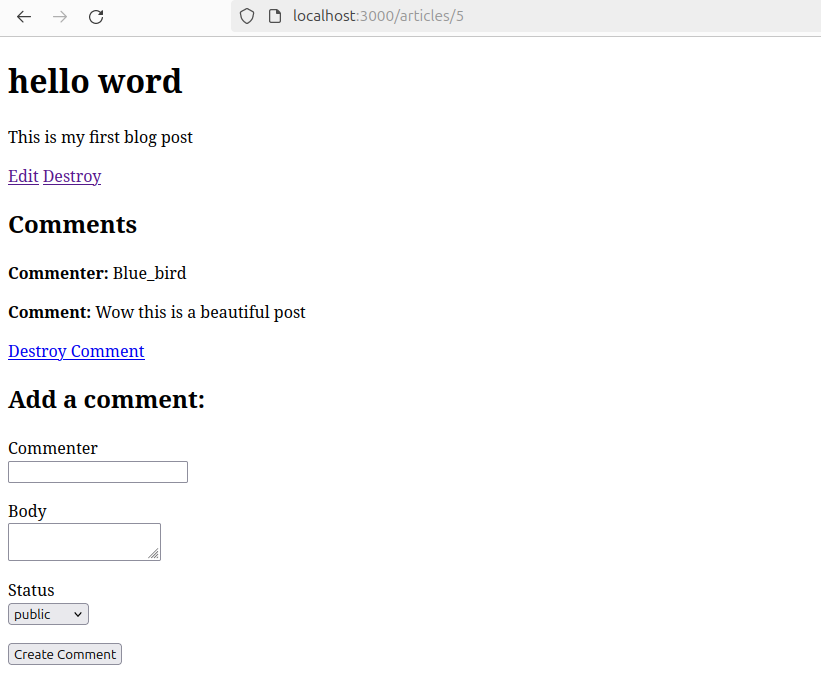
This is the screen for blog post 5, where the content of a post and its comments are displayed.
How does it work?
Post
A specific post is fetched in the show function and displayed in the 'show' view. In more detail, 'Article.find(params[:id])' finds the post selected by the user using the post id and then stores it in the @article variable. Then the @article variable is used to display the elements that make up the post, such as: title and body of the post, in the 'show.html.erb' view. Take a look at the lines below.
Articles controller
def show
  @article = Article.find(params[:id])
end
Refactoring and partials
To avoid rewriting new post elements in all views, 'partials' are created. This allows specific content from an HTML file to be rendered in several other HTML files. A partial is created with an '_' before the file name, for example '_article.html.erb'.
Partial _article.html.erb
<%= @article.title %>
<%= @article.body %>
View show.html.erb
<%= render @article %> # calls the partial '_article.html.erb'

<%= link_to "Edit", edit_article_path(@article) %>
<%= link_to "Destroy", article_path(@article), data: {turbo_method: :delete, turbo_confirm: "Are you sure?"} %>

Comments
<%= render @article.comments %> # calls the partial _comment.html.erb

Add a comment:
<%= render 'comments/form' %> # calls the partial _form.html.erb
You can develop this same simple blog by following the Getting start with Ruby on Rails tutorial.
Styled blog
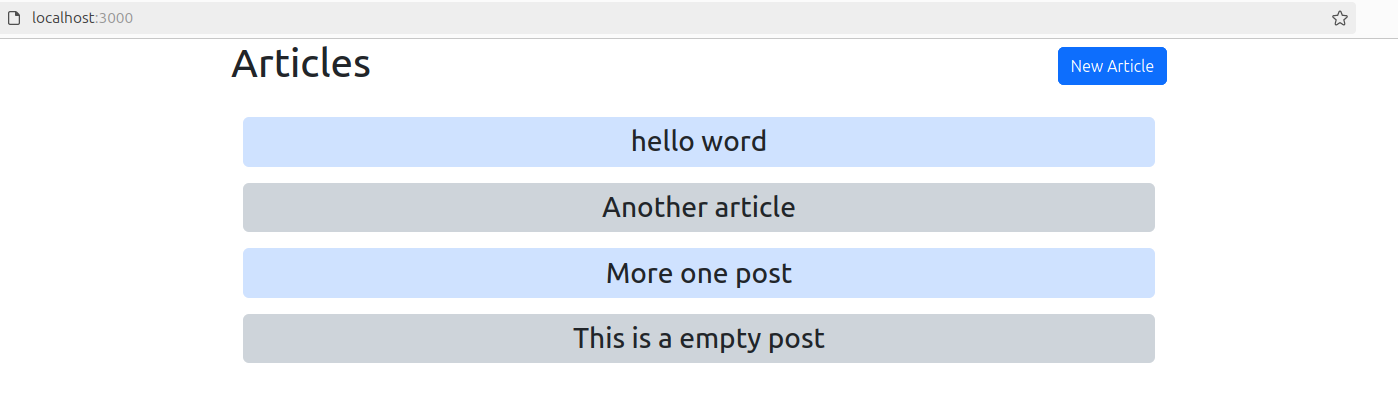
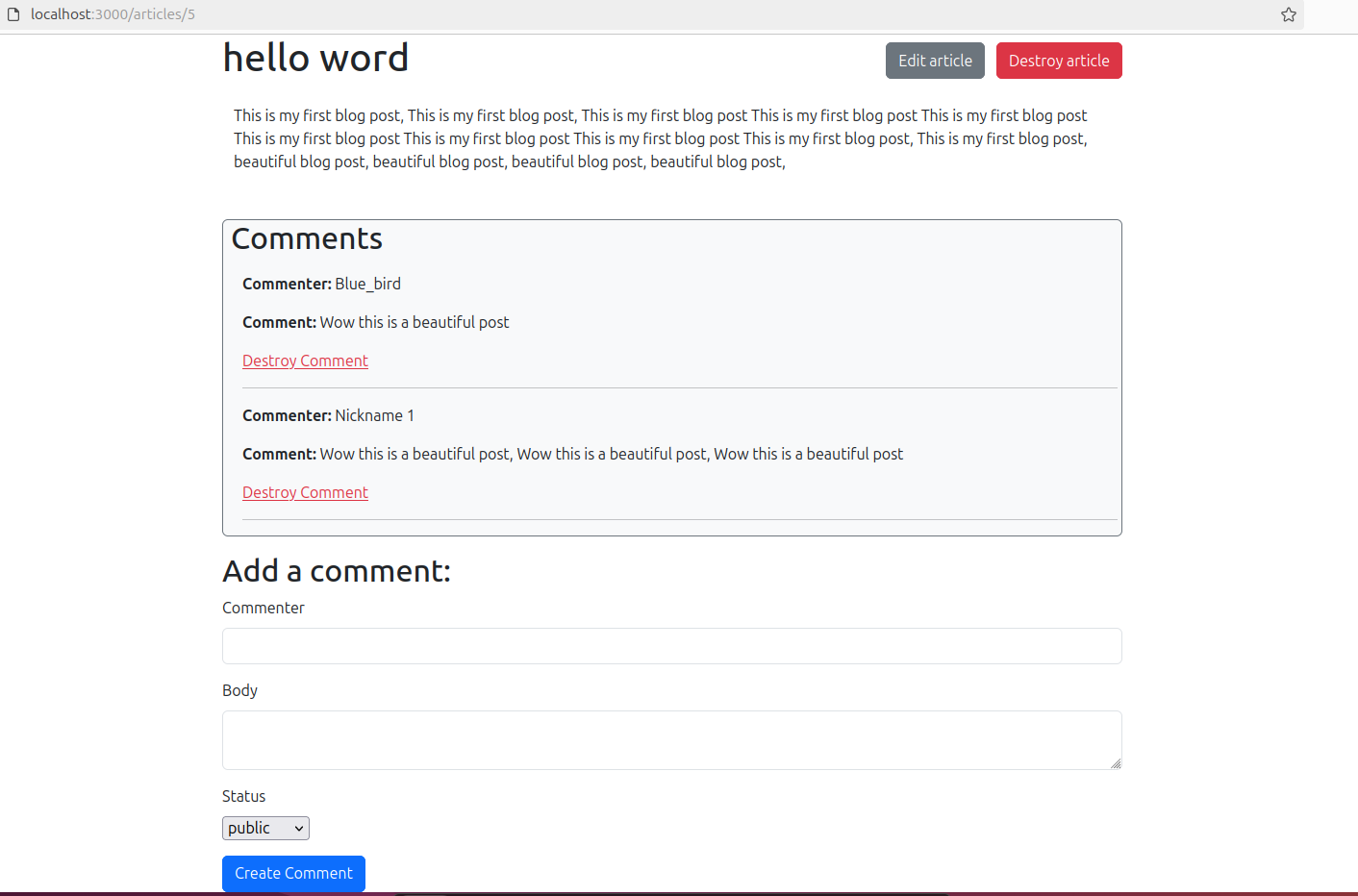
The interface was too simple, so to style the blog I added the link to the UI framework Bootstrap in the 'application.html.erb' view to use the attributes present in Bootstrap.
Main screen
Post
Conclusion of learning with Ruby on Rails
Initially, the experience of learning "Ruby on Rails" improved my expectations as a developer. I gained a slightly deeper understanding of software architecture and good development practices. Ruby on Rails made me more efficient and also more confident to take on new challenges and explore what else this tool can do.
Learning "Ruby on Rails" was a journey of challenges, but each obstacle overcome turned into a lesson learned. It's amazing to see my ideas come to life more easily through this framework, and I'm satisfied with my development on this path. Furthermore, "Ruby on Rails" taught me the importance of standardized development and the agility it can bring to projects. The integration with automated tests and the vast developer community were aspects that helped me a lot on my journey. However, I am excited to continue learning, evolving, and looking for new ways to turn ideas into reality through algorithms.